
Backed Up, Tuned In
Google Drive backup and Body Sensation Mapping are now available on Android.

We have two exciting updates for our Android community.
Android users can now choose to back up their How We Feel data with Google Drive, making it easier to restore their check-ins if they change devices, reinstall the app, or need to recover their information.
And Body Sensation Mapping, first introduced on iOS, is now available on Android too.
Together, these updates give Android users more ways to keep their check-in history with them and deepen the way they check in with themselves.
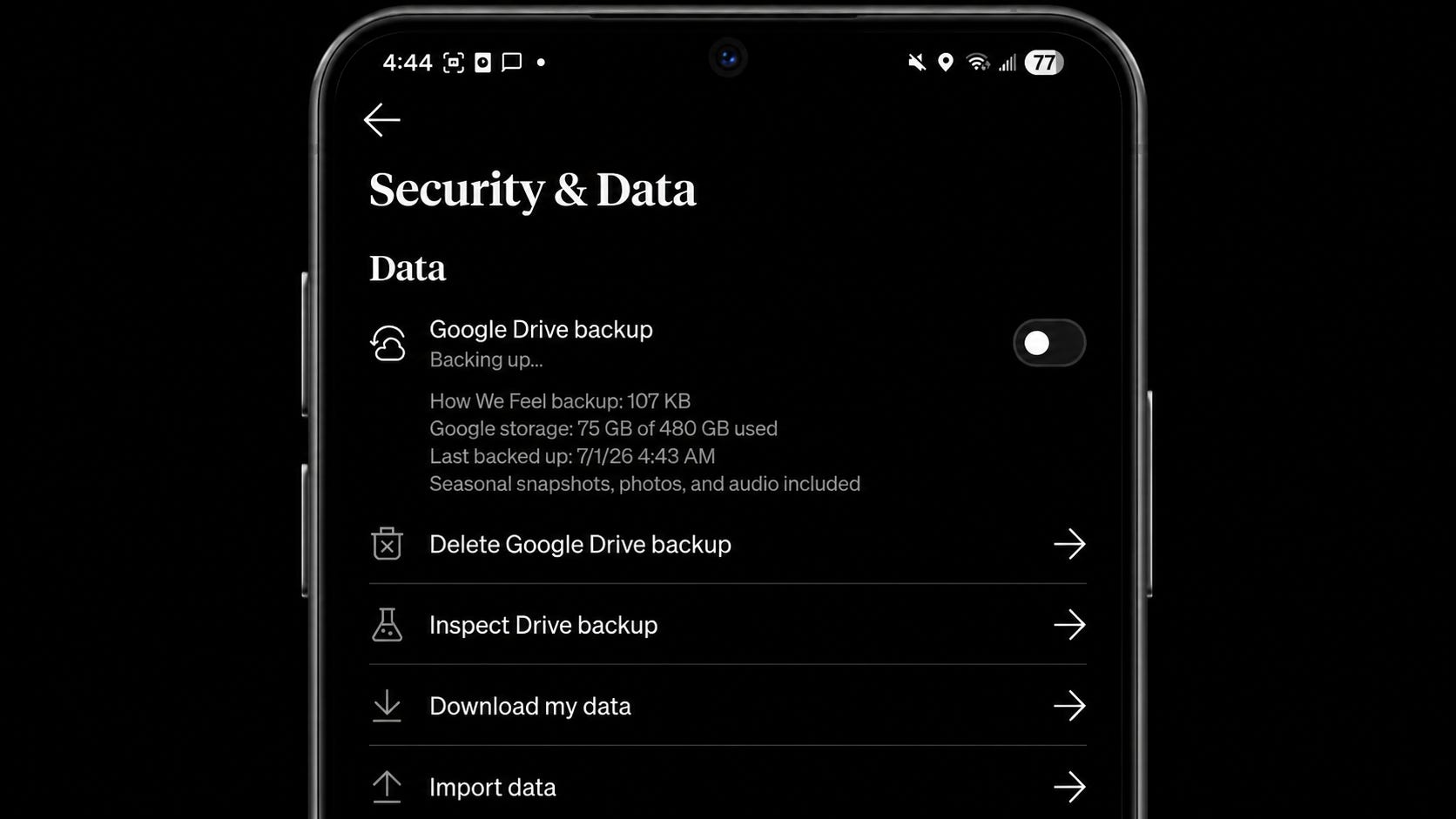
Google Drive backup
Your check-ins can become a meaningful record of your emotional life over time, and we want you to have more choice in how you keep that record.
With Google Drive backup, Android users can now choose to back up their How We Feel data to their own Google Drive account. This feature is optional, and it gives you a way to restore your check-ins if you change phones, reinstall the app, or need to recover your information. As always, your data belongs to you, and this update is designed to give you more control over how you preserve it.
You can also still download a CSV of your data and import it into a new device, if you prefer to manage your data that way.
How to turn on Google Drive backup
Go to the Check in tab
Tap the hex nut icon in the upper left corner
Tap Security & Data
Toggle on Google Drive backup
Body Sensation Mapping comes to Android
When we first introduced Body Sensation Mapping on iOS, we heard from Android users who were excited to try it too.
Now it’s here.
Body Sensation Mapping adds a new layer to your check-ins by helping you notice the physical signals that can come with emotion, like tight shoulders, a fluttering stomach, warmth in your chest, or tension in your jaw. Over time, these small body-based signals can help turn a feeling that seems hard to describe into something easier to notice, name, and understand.
How to add a body sensation map
Start a check-in
On the view where you apply tags, scroll down to add physical sensations
Tap to plot a sensation on the body
Add tags to describe the sensation
Save the body sensation map
Whether you’re feeling tension, warmth, heaviness, lightness, or something harder to name, Body Sensation Mapping gives you a way to listen to what your body may be telling you.
Try the new updates today
Open How We Feel on Android to turn on Google Drive backup or try Body Sensation Mapping in your next check-in.
We also recently launched the How We Feel Community on Slack for users and care practitioners to connect, share feedback, and help shape what we build next. If you’re interested in getting early access to new features, sharing how you use the app, or connecting with others who care about emotional wellbeing, please reach out to us at community@howwefeel.org.
Here’s to more self-awareness, one check-in at a time.
- The How We Feel Team
Body based mapping on Android, what a win! My favorite feature now out to more people 😍
This app is absolutely incredible! Thank you for all the hard work your team is putting in!